
Minecraft’s world keeps changing year after year. Much of that comes from players constantly modifying and testing new ideas. Players approach customization in different ways. Some focus on mechanics, others redesign landscapes, while many experiment with visual improvements.
Java Edition became the center of modding early on. Bedrock developed more gradually but eventually formed its own customization environment.
Today it’s normal to see players mixing gameplay add-ons with visual upgrades to create a completely different experience. But just like aggressive world generation or heavy exploration, modifications can affect multiplayer performance if they are not handled carefully.
In software development, the real test of any system is how it behaves under real-world conditions.
Why Bedrock Modding Has Changed
For years, modding in Bedrock was limited compared to Java. Most customizations focused on texture changes or simple add-ons.
As the add-on framework and scripting tools improved, bedrock minecraft mods became far more capable. Today, they can introduce major gameplay changes.
For instance:
- New creatures with unique AI behavior
- Advanced crafting and technology systems
- Custom weapons, armor, and abilities
- Survival expansions with temperature or stamina mechanics
In many cases, these features run through behavior packs and scripts rather than traditional compiled mods.
That design keeps Bedrock more stable across platforms like PC, console, and mobile.
But additional logic also means additional processing.
Every custom entity, automated system, or scripted mechanic adds calculations to the game loop.
When used responsibly, the impact is small. When stacked aggressively, performance can drop quickly.
The Hidden Cost of Too Many Add-ons
Many servers install several bedrock mods at once because each add-on seems lightweight on its own. The problem appears when multiple systems interact.
For example:
- A custom mob system spawns additional entities
- A farming add-on adds crop growth calculations
- A dungeon pack generates structures in new chunks
Each feature looks harmless individually. Together they increase world updates, entity checks, and chunk activity.
According to discussions from Mojang’s developer documentation and community optimization guides, entity management and world generation are among the most demanding tasks during gameplay.
Now imagine a multiplayer world where five players explore different directions while those add-ons run simultaneously.
Chunk generation increases.
Entity tracking expands.
Script execution multiplies.
Suddenly the server is handling far more operations than a standard vanilla world.
Peter Thiel once wrote, “The biggest secrets are hidden where nobody is looking.” In Minecraft servers, that hidden problem is often cumulative load.
Visual Upgrades Without Gameplay Stress
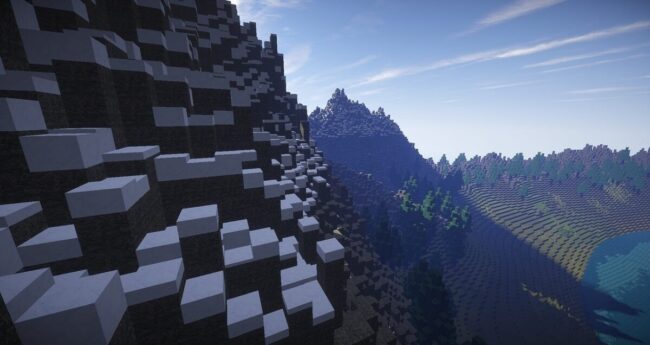
While gameplay modifications change mechanics, visual customization usually carries less performance risk. That is where minecraft bedrock resource packs become especially useful.
Resource packs primarily modify:
- Textures
- Sounds
- UI elements
- Visual styles
Because these assets load on the client side, they rarely increase server processing requirements. Players can dramatically transform how their world looks without adding heavy backend calculations.
Some packs aim for realistic lighting and detailed textures. Others simplify the visual style for clarity during building or exploration.
For multiplayer communities, resource packs provide a safe way to refresh the experience without destabilizing the server.
This balance between visual creativity and technical efficiency is why many long-running worlds prioritize resource packs before large gameplay modifications.
Multiplayer Infrastructure Still Matters
Even well-optimized add-ons rely on stable infrastructure. When players explore new areas or load custom structures, servers must process terrain generation, entity spawning, and world updates at the same time.
That demand grows rapidly in modded environments.
A weak hosting setup often struggles with:
- Simultaneous chunk generation
- Add-on script execution
- High player counts during exploration
Reliable hardware makes a noticeable difference here. In particular, strong single-thread CPU performance and fast storage help keep modded servers responsive.
If your server includes several add-ons or large custom worlds, many administrators start comparing the best modded minecraft server hosting services before launching their world. Server stability directly affects how mods behave. Without reliable infrastructure, gameplay systems can quickly become unpredictable.
Careful mod selection helps reduce unnecessary server load while keeping gameplay fresh.
Elon Musk once noted that “Any product that needs a manual is broken.” The same philosophy can apply to Minecraft customization. If a mod pack becomes so complicated that stability suffers, the experience stops being fun.

The Future of Bedrock Customization
Not long ago, Bedrock add-ons were fairly simple. That’s changing. With better scripting support and improved frameworks, creators are now building much larger systems. Some projects introduce complex quests, others add dynamic mobs or entirely new gameplay mechanics. Meanwhile, developers continue refining tools to ensure these features run smoothly across platforms.
The key lesson remains the same.
Mods enhance creativity.
Resource packs reshape visuals.
Infrastructure supports everything behind the scenes.
When those elements stay balanced, Bedrock worlds can grow into large, long-lasting multiplayer communities without sacrificing performance.
Frequently Asked Questions
1. Can Bedrock add-ons be used on console and mobile, or only PC?
Yes. Because Bedrock runs on a shared codebase, add-ons and resource packs work across PC, Xbox, PlayStation, and mobile devices. However, performance limits vary by hardware, so heavier add-ons may run better on PC than on mobile or older consoles.
- Do all players on a multiplayer server need to download the same resource pack?
For resource packs to display correctly for everyone, all players typically need the same pack installed. Many servers prompt players to download the pack automatically when they join.
- Is there a safe limit to how many add-ons a server should run at once?
There’s no universal number, as it depends on server hardware and the complexity of each add-on. A practical approach is to add one pack at a time, test performance after each addition, and monitor entity counts and chunk load times.
- Can conflicting add-ons corrupt a world or cause data loss?
Yes, in some cases. Incompatible behavior packs can cause unexpected game behavior or world instability. Always back up your world before installing new add-ons.
- Where is the safest place to download Bedrock add-ons and resource packs?
The official Minecraft Marketplace is the most vetted source. Community platforms like MCPEDL are also widely used, but always check user reviews and download counts before installing anything.
- Do resource packs affect loading times for players joining a server?
They can, especially high-resolution texture packs. Larger file sizes mean longer download and load times for new players connecting to the server.