
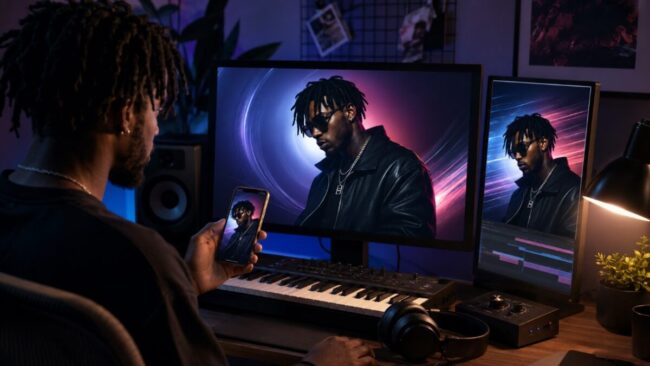
Independent artists rarely lose a release week because a teaser looks “less cinematic.” They lose it when the track title is soft on the master still, the Stories crop eats half a letter, and the motion pass invents a second face for the same singer. Before anyone opens a full music-video stack, the desk needs one readable artwork that can survive a phone screen. That is the job where Nano banana earns a seat, not as a substitute for a director, but as the gate that keeps still and teaser in the same brand.
Musicraiser readers already see a long list of AI music-video generators. Most of those tools start from “make a clip.” The costly miss is earlier: if the lyric card, logo lockup, or artist likeness is unstable in the still, motion only multiplies the error. NovaImage AI puts image edit and video models in one workspace, so the practical claim is narrow, can you lock typography and identity on a still first, then animate one element without rewriting the whole frame?
Release Week Breaks On Unreadable Title Cards
A release week is a chain of small surfaces: playlist pitch art, 9:16 Stories, a YouTube short hook, a pinned comment image. Listeners do not compare those files against a mood board. They glance once. If the song title looks different across three crops, the campaign feels unfinished even when the mix is done. Soft blur is forgiveable. Soft type is not.
The old workaround is familiar. Designers rebuild the type in a separate layout tool after every generative pass, or they bake lyrics into the video timeline and hope the still never needs to match. Both paths burn hours. Rebuilding the same title card twice for cover and Stories often wasted an afternoon before anyone opens the DAW again. Baking type only into the video leaves the press kit without a clean still, so the playlist pitch waits another day.
Keep a paper track-title stencil beside the phone during checks: song name, featured credit, and one accented word if the language needs it. If the stencil’s letters are clearer than the export, the export fails. That physical check is dull on purpose. It stops teams from arguing about “mood” while the first letter of the title is already gone in the crop.
What Must Be True On The Master Still
Treat the master still as a contract, not a vibe board. Before any Seedance or Veo pass, three things should already pass on a phone held at arm’s length for two seconds:
|
Gate |
Pass signal |
Fail signal |
| Title / lyric type | Every letter readable at Stories size | Melted stems, fused words, missing accents |
| Artist identity | Hairline and jaw match the approved photo | Sibling face or age drift after “polish” |
| Brand color | Key palette survives background cleanup | Cleanup invents a new palette for the drop |
If a file fails the type row, do not animate it. Motion will not repair letterforms. It will only make the soft word move. That rule alone cuts most release-week redo loops. When a cleanup pass turns a navy brand into teal “for contrast,” treat that as a fail even if the face still looks close, playlist art and merch mockups will disagree by Thursday.
Workflow Steps That Keep Still And Teaser Aligned
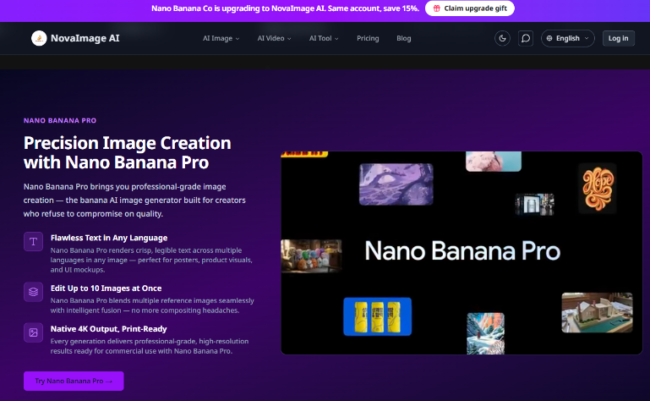
The published edit path on NovaImage AI is short enough to run between rehearsals: open Nano Banana, upload the approved photo or paste an image URL, describe one change in plain language, generate, refine with a follow-up prompt if needed, then download PNG or WebP. Use that loop for the still. Leave video models closed until the still passes the table above. A useful desk habit is to save the winning still with a boring filename such as title-locked-v3 before anyone spends motion credits.
Set Ratio Before Prompting Stories Assets
Lock the crop early. If Stories is the first public screen, generate and judge at 9:16 instead of fixing a square later. A title that looks fine in 1:1 often loses the first and last characters after a vertical cut. Write the prompt as a chore, “keep the singer’s face, replace only the backdrop, keep the track title sharp”, not as art direction about neon cinema.
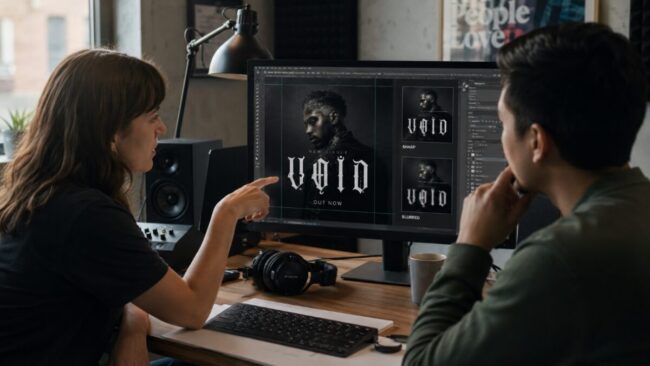
Keep the same still each pass and put the export under the approved photo on a phone. Crop twice: once as a full-frame check, once after a slight upward shift that mimics how people thumb Stories. If the title survives only in the first view, rewrite the layout before you touch motion. That five-minute protocol beats discovering the crop fail after the teaser is already scheduled. In our desk week, this check caught more bad files than another round of “make it sharper” prompts.
Refuse Any Pass That Softens The Title Type
Nano Banana Pro is the stronger seat when lettering matters. The platform stresses crisp multilingual text for posters and marketing layouts, plus native 2K/4K output when the file may print or sit on a large stage screen. For a lyric-forward single, that is the difference between a usable card and a pretty blur. If Hangul, accents, or a dense English title card is part of the brand, treat type as a pass/fail gate, not a style preference.
When the still needs more than a backdrop swap, merging a logo plate, a face reference, and a venue photo, Pro’s multi-image fusion is the tool to try, up to the published ten-image ceiling. Keep the instruction narrow: fuse references for lighting and wardrobe, do not ask the model to invent a new singer. If the fused result looks richer but the title plate softens, discard it. Richer backgrounds are cheap to retry. Soft type in a public drop is expensive.
When Motion Can Touch Only One Element
After the still passes, open video inside the same workspace. Seedance 2.0 is listed for cinematic, multimodal video from text, images, and references. Veo 3 sits beside it for another video route. The release-week rule is not “render the whole song.” It is “animate one element while identity and type stay fixed.” Teams that animate everything at once usually spend the next evening cutting mismatched faces out of the timeline.
Animate Background Or Light, Not Face And Type Together
Good first motion jobs for indie desks: drifting light on a locked portrait, a slow parallax behind a readable title card, smoke or particle motion that never crosses the lettering. Bad first jobs: full face morphs, costume rewrites, and lyric animations generated before the still’s type has been approved. If the face changes while the background moves, the teaser and the cover become two different people in the same campaign week.
Keep a one-line reject note in the project folder, “type soft” or “face drift”, so collaborators do not re-argue taste. A discarded clip at this stage is cheaper than a patchwork of mismatched assets across Spotify Canvas, Instagram, and the press kit. When a clip fails because the title warps on frame three, do not “fix the prompt with more cinema.” Go back to the still gate and re-lock the type.
Where A Banana AI Image Generator Fits The Music Desk
NovaImage AI is useful when the bottleneck is still fidelity, not director taste. Independent artists who already own an approved photo can use a banana ai image generator path to clean a backdrop, repair a muddy title plate, or fuse a few references before they spend motion credits. Paid plans advertise private creation, no watermarks, and full commercial use, relevant when the file goes into ads or label-facing decks. New accounts also start with free credits, which is enough to test the still gate before committing to a yearly plan.
This path is the wrong first buy when the brief is a full narrative MV with beat-synced cuts, licensed footage, or a performance shoot that already exists. Those jobs need editors and clearances, not another still polish. Also pause when the source face is already a smear; no model family invents a reliable likeness from motion blur and then promises consistency across five crops. In those cases, book another photo day or pull a cleaner frame from the session files.
Ship The Still That Matches The Drop
Release week rewards desks that protect recognition before they chase motion spectacle. Lock lyric text and artist identity on one master still inside NovaImage AI, refuse soft type, then animate a single background or light move with Seedance or Veo. If the still cannot survive a 9:16 glance, the teaser will not save it.
Start with one single, one approved photo, the paper title stencil, and the three-row gate. When the Stories crop, the playlist tile, and the short hook agree about the same face and the same title, the campaign looks finished, even if the MV is still a week away.