
A music release does not live on the song alone. Around it come short videos, spoken announcements, studio updates, lyric explanations, rehearsal clips, and messages to fans.
Those pieces often get recorded quickly, which is why fan noise, traffic, hum, or room echo can slip into otherwise useful content.
When the voice is still clear, CleanAudio can remove background noise from an existing audio or video file before it becomes part of the release rollout.
The goal is simple: make the spoken content easier to hear without confusing audio cleanup with music production.
A Release Has More Spoken Audio Than You Think

Independent artists often focus almost entirely on the finished track, yet release week creates plenty of spoken material around it.
You may explain what inspired the song, introduce a teaser, talk through a lyric, share a rehearsal update, or record a short message before the track drops. None of that is the master recording, but all of it shapes how people experience the release.
The problem is that these clips are usually made in ordinary places. A bedroom studio may have computer-fan noise.
A rehearsal room may add echo. A quick outdoor update can pick up traffic or wind. If the message is strong but the background is distracting, cleaning the spoken track can make the content feel more deliberate without changing what the artist actually said.
That makes audio cleanup part of release preparation, not part of mixing or mastering the song itself.
Three Types of Release Content That Often Need Cleanup
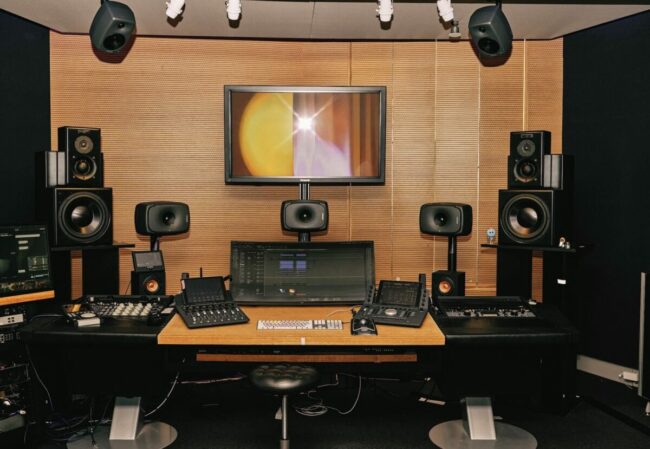
The most useful targets are spoken clips where clarity matters more than perfect studio sound.
1. Release Announcements and Countdown Videos
A release announcement may be only twenty or thirty seconds long, but it often carries important information: the release date, song title, pre-save reminder, or where fans can hear the track.
If a fan or air conditioner sits under the entire message, those details can feel harder to catch.
Cleaning that spoken section can help the message land more clearly. Keep the tone casual if that suits the artist, but reduce the sound that directly competes with the words.
2. Behind-the-Song and Lyric Explanation Clips
Artists increasingly talk about where a song came from, what a lyric means, or how a particular idea developed. These videos work because they feel personal, not because they sound like formal interviews.
Room echo, microphone hum, or street noise can still distract from the story. If the speech is intact, a cleanup pass can make the explanation easier to follow while preserving the original pacing, pauses, and delivery.
3. Rehearsal, Studio, and Tour Updates
A rehearsal room, backstage corridor, or home studio is rarely silent. That is not automatically a problem. Some environmental sound helps the viewer understand where the clip was recorded.
The issue begins when the artist’s voice competes with ventilation, traffic, hiss, or echo. In those cases, reduce the distraction rather than trying to erase the entire setting. The viewer should hear the update first and notice the room second.
How CleanAudio Fits Into a Release-Week Workflow

CleanAudio is useful when the clip already exists and the spoken part needs a focused cleanup pass.
The process runs in a browser, so you can upload an audio or video file directly rather than building a separate restoration project first.
Start with the best available source file. CleanAudio supports common formats including MP3, WAV, MP4, and MOV.
Once uploaded, the system automatically analyses the file and targets background problems such as wind, fan and air-conditioner noise, traffic, static or hum, microphone hiss, and room echo or reverb.
After processing, listen to the 30-second cleaned preview. Compare the same words in the original and cleaned versions at roughly the same volume.
If the voice becomes easier to understand and still sounds natural, the result is useful. If the cleanup makes the voice sound noticeably worse, keep the source and try another edit instead.
Judge the Voice Before You Judge the Silence

A background noise remover should not be judged by how empty the background becomes. For artist content, the voice itself is the important part.
Listen to softer phrases, breaths, sentence endings, and quick changes in volume. A release announcement may include an excited shout.
A behind-the-song clip may include quieter reflection. A rehearsal update may move between speech and laughter. Those details should still sound natural after processing.
Some remaining ambience is acceptable. A backstage clip can still sound like backstage. A home-studio update does not need to imitate a treated vocal booth.
The useful version is the one where fans can follow the words without being pulled away by hum, wind, traffic, or echo.
This is also why the preview matters. It lets you make an editorial decision before replacing the original file or using the cleaned version across a release campaign.
Keep Noise Cleanup Separate From Music Mixing and Mastering
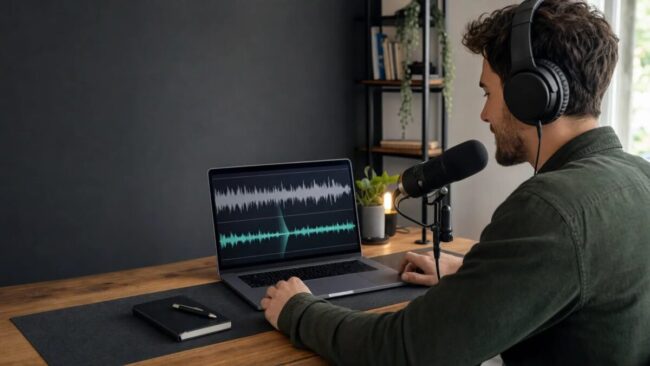
One important boundary makes this workflow much easier to understand: cleaning spoken release content is not the same as processing the song.
If the final track needs changes to vocal balance, instrument levels, stereo width, compression, EQ, or mastering, that belongs in the music-production process. A background-noise tool should not be treated as a shortcut for those decisions.
Use CleanAudio where its job is clear: spoken announcements, voiceovers, explanations, interviews, or other voice-led clips with distracting environmental noise. That separation prevents you from asking one tool to solve unrelated audio problems.
It also helps you decide what to do when a file is genuinely damaged. If a loud sound completely covers a word, or severe clipping distorts the speech itself, noise reduction may not restore the missing information. In that case, a cut, caption, replacement line, or another take may be the better choice.
Build a Simple Audio Check Into Release Week

Release week already has enough moving pieces, so the audio check should stay short. You do not need a separate production process for every clip.
Before publishing a spoken video, listen to one normal section and one noisy section. If the background competes with the voice, run the file through cleanup and compare the preview.
Then watch the cleaned version as a complete piece of content, not just as an isolated audio track.
For a teaser, make sure the spoken introduction remains clear before the music enters. For a lyric explanation, check that important words and names are easy to understand.
For a rehearsal update, make sure the location still feels real without the room overpowering the speaker.
Keep the original alongside the cleaned version until the post is final. That gives you a simple fallback if one phrase sounds more natural in the source.
A repeatable check like this is easier to maintain than trying to make every release-week clip sound perfectly polished.
Conclusion
The finished song may be the centre of a release, but it is rarely the only audio fans hear. Announcements, lyric explanations, studio updates, rehearsal clips, and short voice-led videos all help tell the story around the track.
When those recordings contain distracting noise, clean the spoken material without treating it like part of the master.
Use CleanAudio to test the existing file, compare the preview, and keep the version that makes the voice clearer while still sounding natural. Before the next post goes live, give the spoken track the same quick quality check you already give the visuals.